In this guide
In short
A brand drifts one small fix at a time. To keep it consistent when everyone produces, start from templates, write rules a tool can check, and check every visual before it goes out. The designer sets the rules once, instead of reviewing every post.
How a brand drifts
The post goes out tomorrow and the square version is missing. The brand font is not on your computer, and the only logo at hand is a cropped PNG: you make do, and the color gets picked by eye. Each gap is small, and each one was the fastest fix that day. Put together, these gaps add up to a brand nobody recognizes.
AI tools speed this up: they produce fast, from a brand they imagine.
The method in five steps
Start from a template for each frequent format
A template already sets where the logo goes, the order of the headlines and the image areas. The person producing only has to write the message.
Write rules a tool can check
“Headlines of 8 words at most.” “Never a logo on a photo.” “Only the colors of the guidelines.” A rule written this way can be checked by a tool, on every visual, without relying on a review.
Check every visual before it goes out
Before a visual goes out, check the original logo, the colors, the fonts and the length of the texts. A short list, always the same, is enough, and a tool can check part of it on every visual, including the ones nobody had time to review.
Before publishing Result The original logo, neither redrawn nor distorted ok Only the colors of the guidelines ok The brand fonts ok Headlines of 8 words at most ok No text cut off or out of frame ok An off-brand color on the button to fix A short checklist, the same for every visual. Recompose each format
A square visual cropped into a story cuts the subject or the text. Each format gets its own layout, with the same message.
Cropped
The logo and the button fall out of frame.
Recomposed
The same message, one layout per format.
Cropped, the message falls out of frame. Recomposed, it fits every format. Make the designer the guardian
The designer sets the rules, chooses what each team can use and approves what falls outside the frame. If there is no designer on the team, someone has to hold this role.
- 01The guardiansets the rules and templates
- 02Teams and their AI toolsproduce within that frame
- 03The checkscheck every visual
- 04Publishingthe visual goes out
Whatever falls outside the frame goes back to the guardian, who approves or rejects it.
The person who owns the brand sets the rules and approves the exceptions.
With Graphist
In Graphist, your brand is set up once: your files, rules, don’ts and templates. With all your files (logos, fonts, colors, guidelines), a first version of your brand is ready within hours. Then, in the Graphist studio (the screen where visuals are created), every visual starts from one of your brand templates, with your real logos, fonts and colors.
The logo, fonts and colors come from your files: Graphist does not redraw them. Before delivery, it checks the render: dimensions, no cut-off text, images loaded and export fidelity. Texts stay editable: a typo is fixed by hand, without going back through the AI. The same message is recomposed for each format, and all the formats of a visual download as a single ZIP file.
Going back to an earlier version overwrites nothing: every version stays visible on the same screen.
Your designer becomes the brand’s admin, the person who manages it in Graphist: they decide the rules, and we set them up together. Without a designer on the team, our custom service holds the art direction and approves every visual.
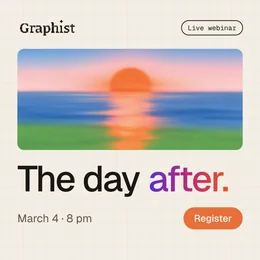 1:1
1:1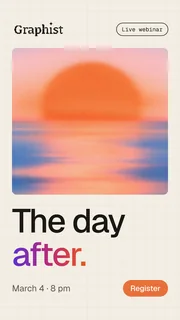 9:16
9:16 1.91:1
Frequently asked questions
Does everything need the designer’s approval?
No. A visual that follows a template and passes the checks can go out. The designer keeps approval for what falls outside the frame, like a new campaign or a new format.
Can an AI tool follow brand guidelines?
Yes, if it starts from the real files and explicit rules. Without them, it imitates the brand: redrawn logo, lookalike font, text baked into the image.
How do you measure your brand’s drift?
Take the visuals published last month and count the ones with a gap: wrong font, off-brand color, altered logo. That is your starting point.